Product tour
Everything between git push and a production you trust
One conversation takes a repository to four priced architectures, the reasons behind them, a security review, a migration plan and the files to deploy. Then Brunel keeps watching.
01 · Analyze
Facts about your code, each with its proof
Paste a GitHub URL. Brunel downloads the repository read-only and runs 16 deterministic detectors. It never executes a line of your code.
- Languages, frameworks, datastores, caches, queues, workers, cron jobs and websockets
- Third-party services (payments, email, AI…) and the environment variable names they need
- Existing Dockerfiles, Compose files, CI and infrastructure-as-code
- Every fact links to the file and line that proves it; you can correct any of them
02 · Design
Four architectures, from €20 to €20,000 a month
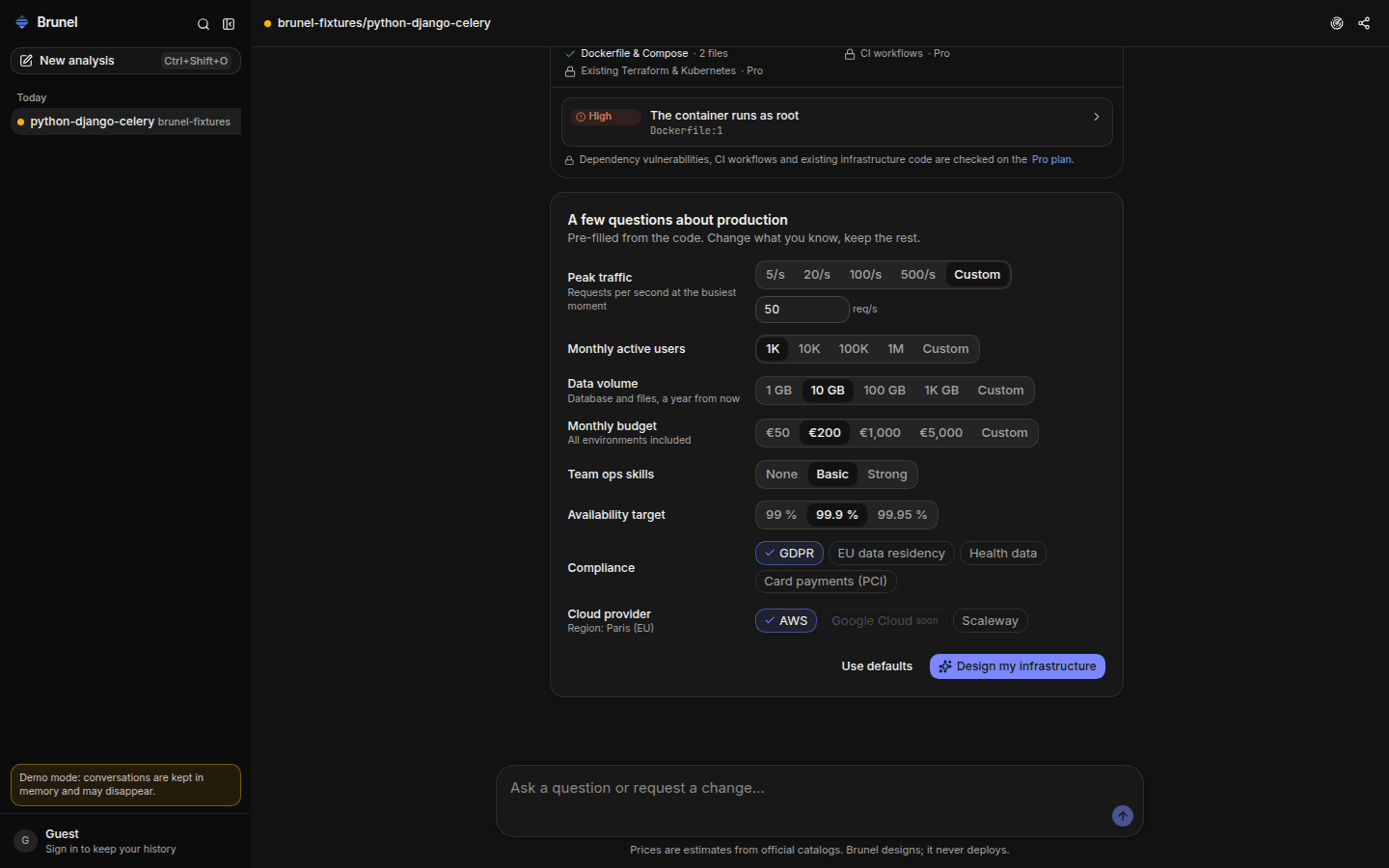
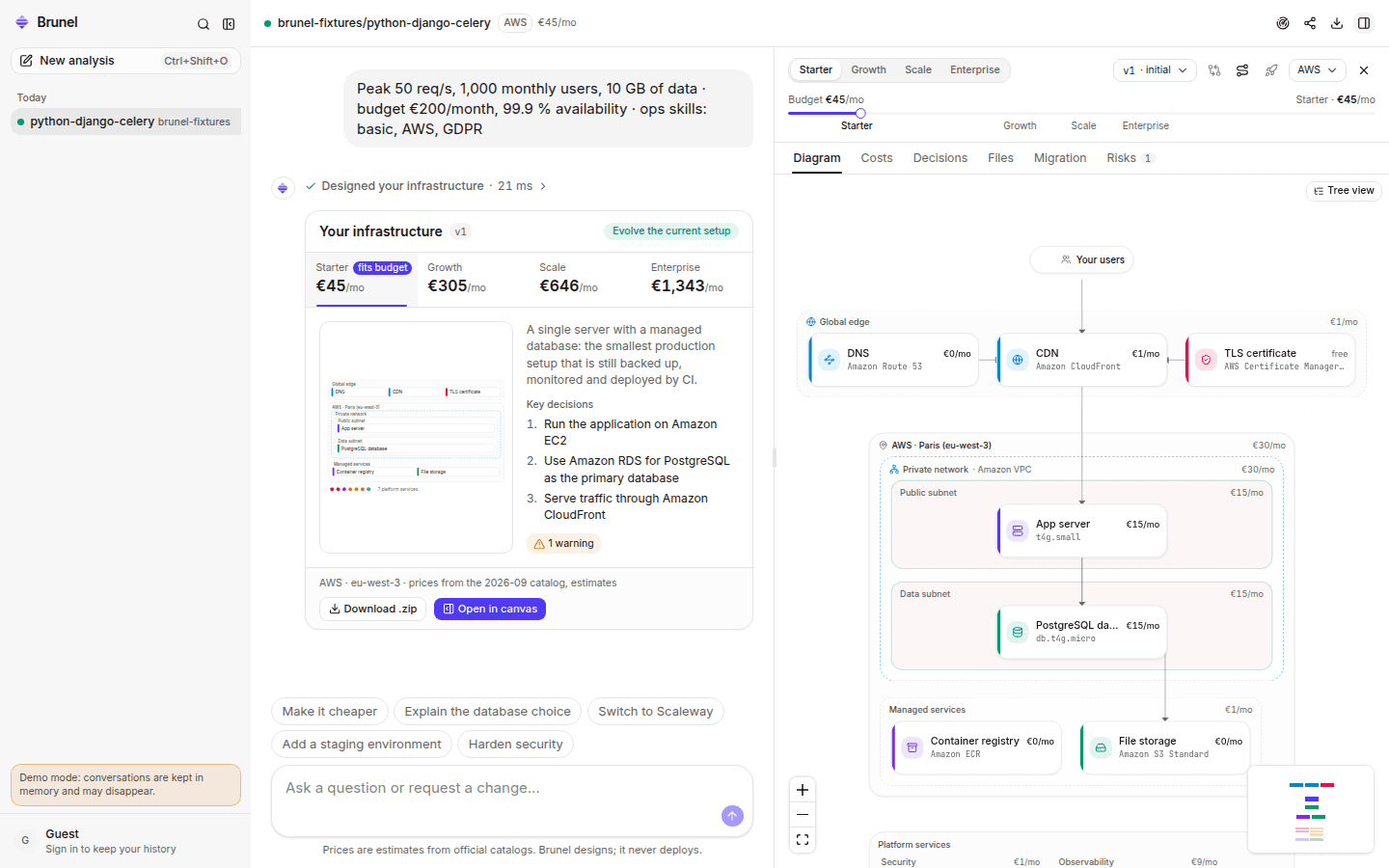
A short questionnaire, pre-filled from the code: traffic, data, budget, availability, compliance, provider. Then four complete tiers, covering eight domains each.
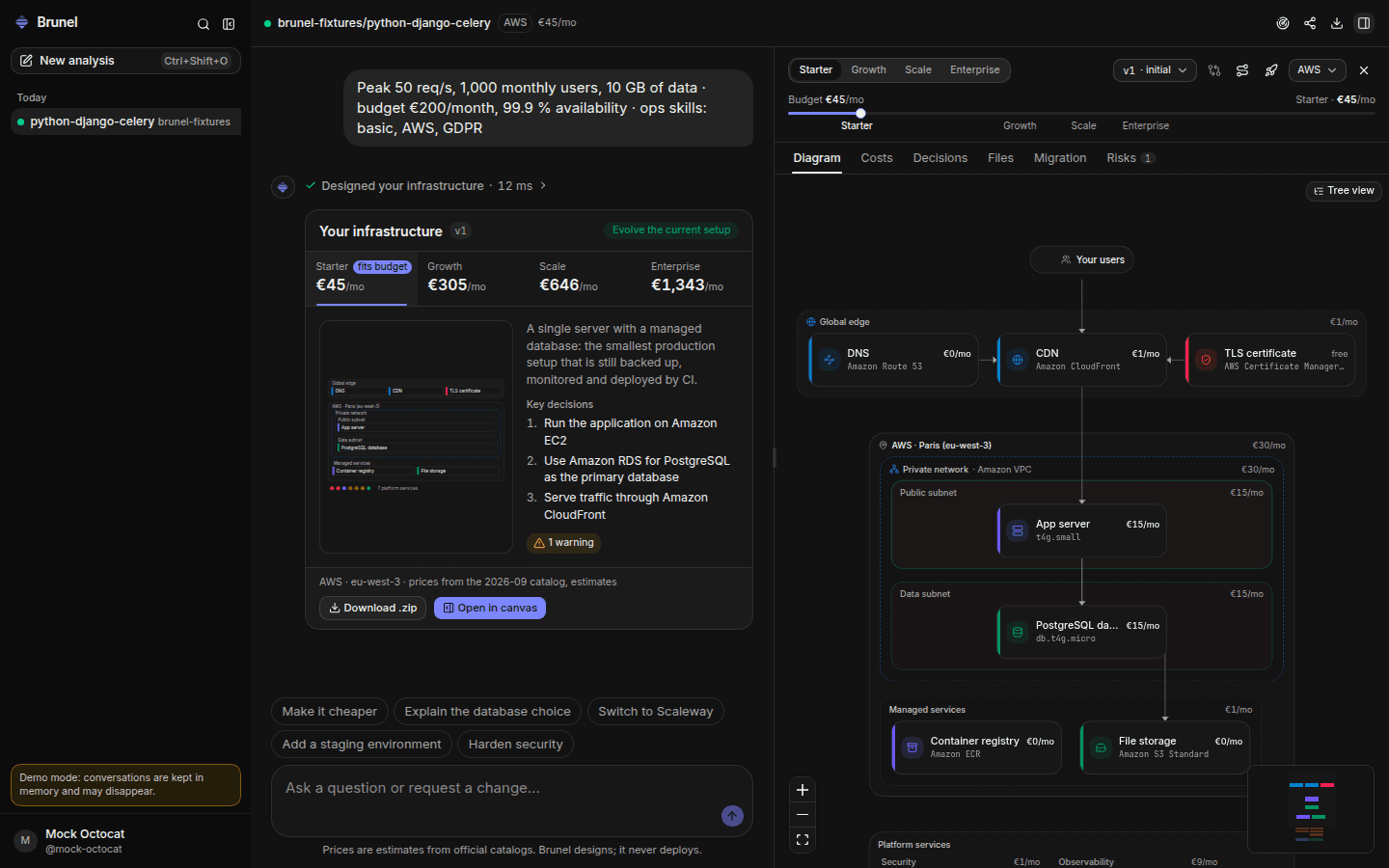
- Compute, data, network, security, observability, CI/CD, resilience and environments
- Mapped to real AWS or Scaleway services and SKUs, in the region you choose
- A budget slider that morphs the diagram from a single server to multi-zone
- 16 architecture rules checked on every design; critical violations are repaired
03 · Inspect
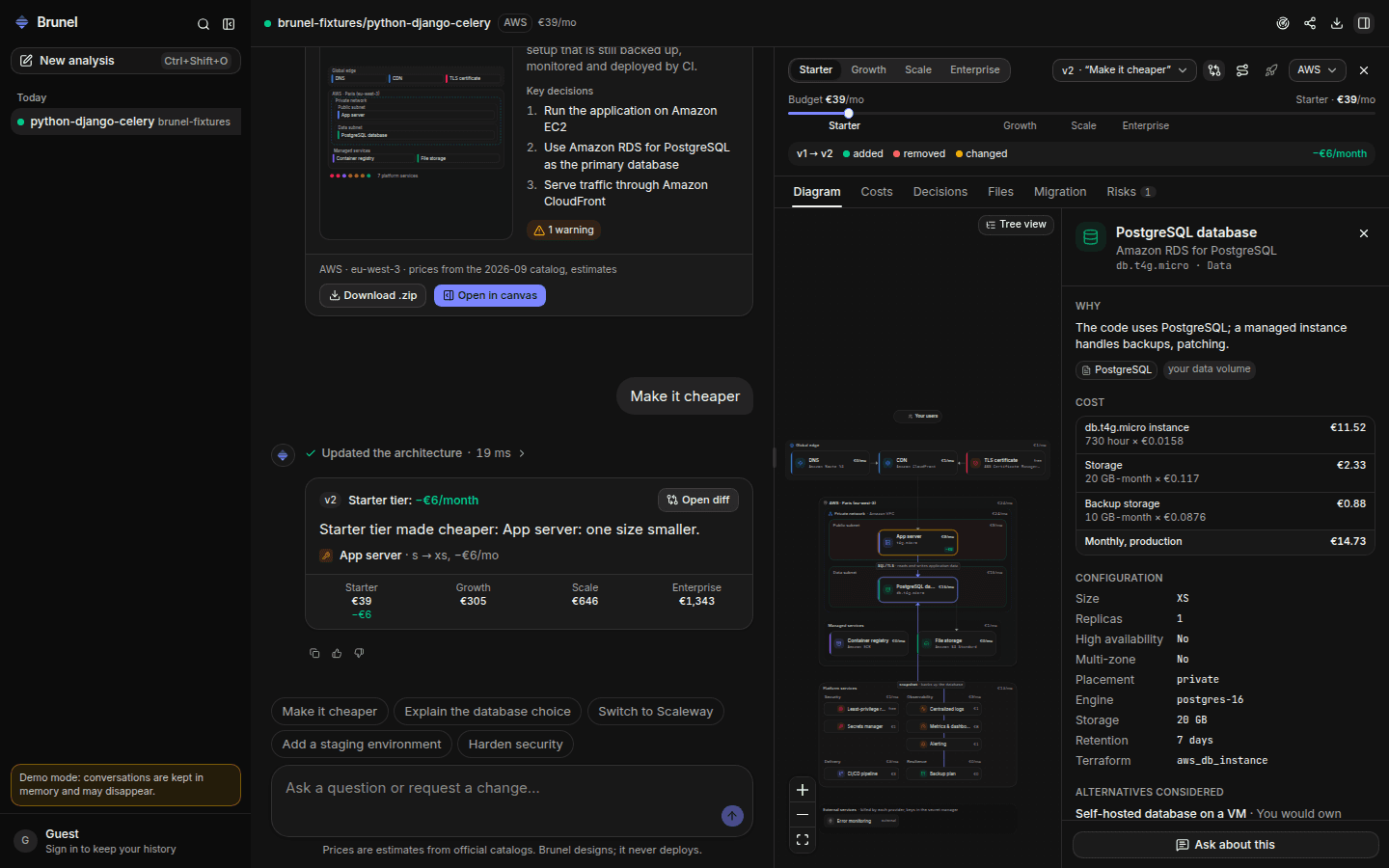
Click any component: why it is there, what it costs
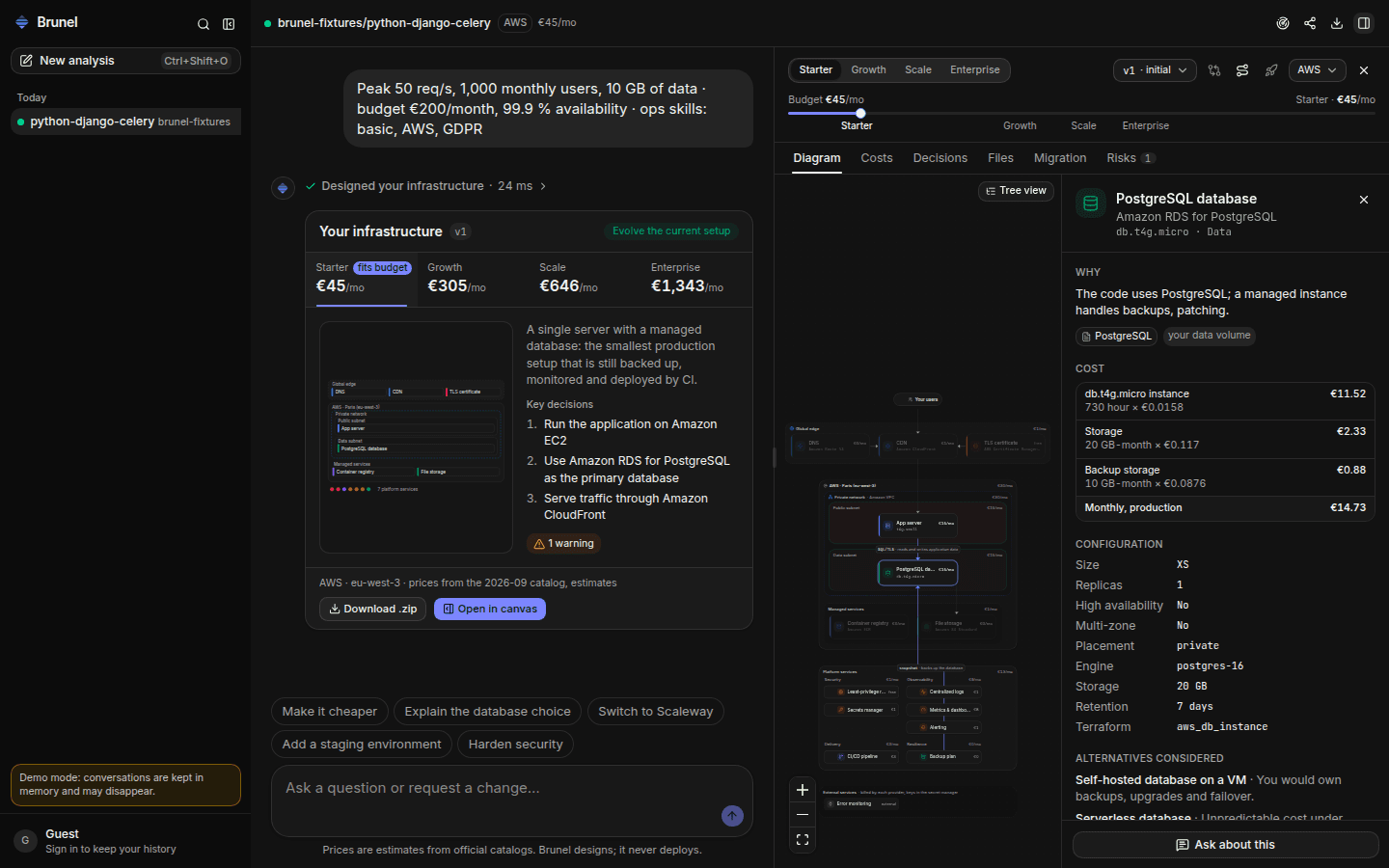
Nothing is a black box. Every component carries the facts that justify it, its configuration, its cost breakdown and the alternatives that were rejected.
- Quantity × unit price for every line, with the catalog date
- Configuration: size, replicas, high availability, storage, retention
- Alternatives and the trade-off that was accepted
- Ask a follow-up question about that component in one click
04 · Refine
Change the architecture by asking
“Make it cheaper.” “We need EU residency.” “Why not Kubernetes?” Brunel answers with sources, or produces a new version.
- Every change is an immutable version with a diff and the monthly cost delta
- Switch provider or currency instantly, without asking the AI
- Compare any two versions side by side
- Regenerate an answer, or roll back to any version
05 · Costs
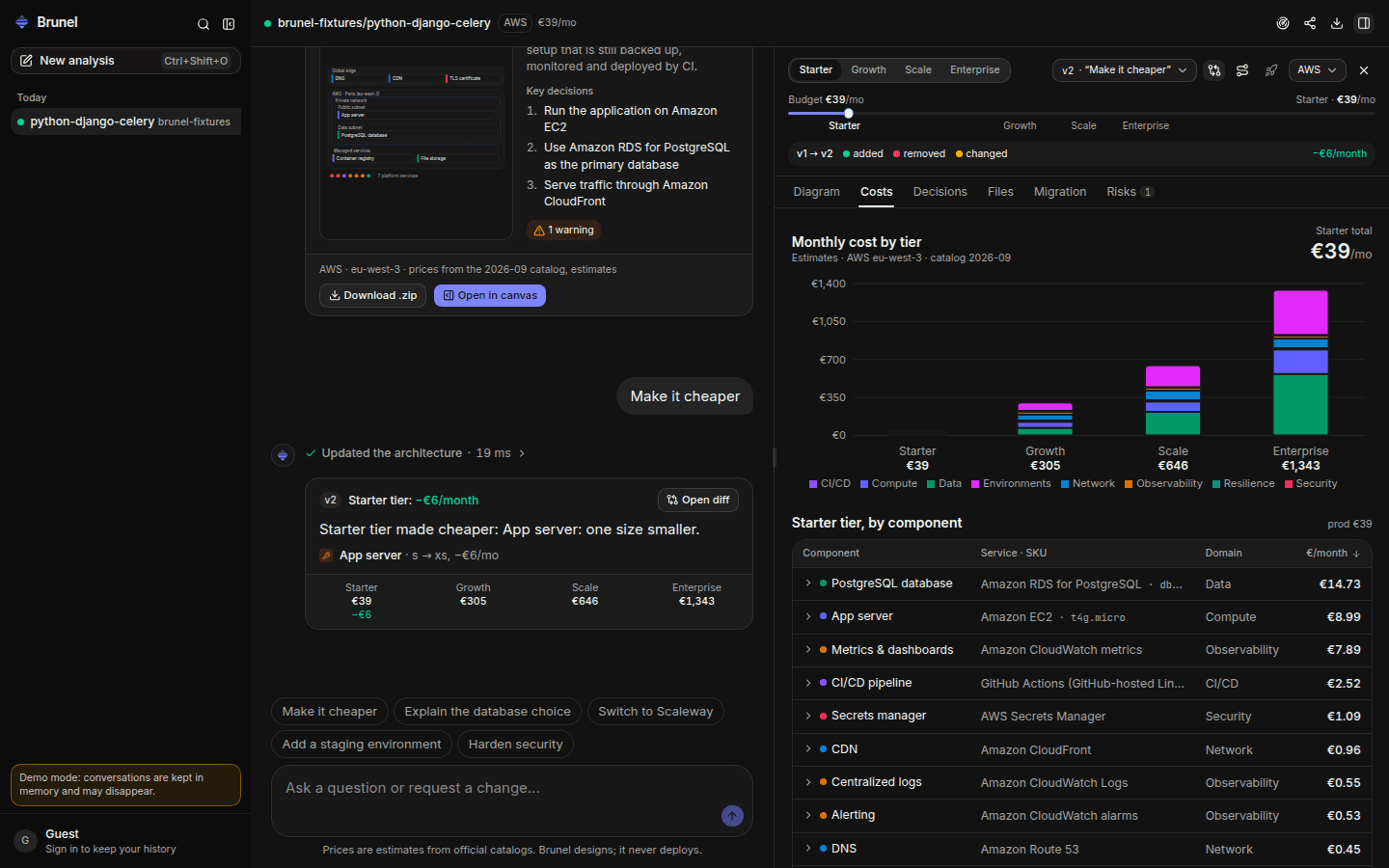
Prices you can defend in a budget meeting
Unit prices come from the AWS Price List API and Scaleway's public catalog. The AI never writes a price, a service name or a Terraform resource.
- Cost per tier, per component and per environment
- Every assumption (egress, storage, requests) is shown
- Components without an official price say so instead of guessing
- A monthly price watch recomputes costs when catalogs change
06 · Security
A security review with every analysis
Before you design production, know what could hurt you in production. Each finding has a severity, the file it comes from and a fix.
- Known vulnerabilities in your dependencies (OSV database, from your lockfiles)
- Committed secrets, detected without ever storing or showing their values
- Containers running as root, unpinned images, risky CI workflows
- Misconfigurations in existing Terraform and Kubernetes files
- CriticalDjango 5.1.4: 31 known vulnerabilitiesrequirements.txt:1
- HighThe container runs as rootDockerfile:1
- MediumWorkflow uses an unpinned action.github/workflows/ci.yml:14
07 · Migrate
A migration plan, not a leap of faith
From what the repository runs today, from one provider to another, or from one service to another. Ordered steps you can reverse.
- Downtime estimate and risks for every step
- Rollback instructions
- The monthly cost before and after, from the deterministic pricer
- Exported as MIGRATION.md with the rest of the files
- 1Provision the network and the databaseno downtime
- 2Replicate the data, then switch writes≈ 5 min read-only
- 3Deploy the app behind the load balancerno downtime
- 4Move DNS, keep the old stack 7 daysrollback: DNS back
08 · Track
It keeps watching after the design
Connect the repository once. Every push is re-analyzed without AI, and every pull request gets its infrastructure impact before it is merged.
- An alert when the code needs a new component: a queue, a cache, a database
- Pull request comments with the infrastructure, cost and security impact
- A monthly report when provider prices change
- Alerts in Brunel, in Slack or on your signed webhook
Infrastructure impact
- + Redis cache (Celery broker detected in tasks.py)
- + Worker service for the Celery queue
- Growth tier: +€38 / month
Example comment, posted automatically on each pull request
09 · Deploy
Ship through your own CI, never through ours
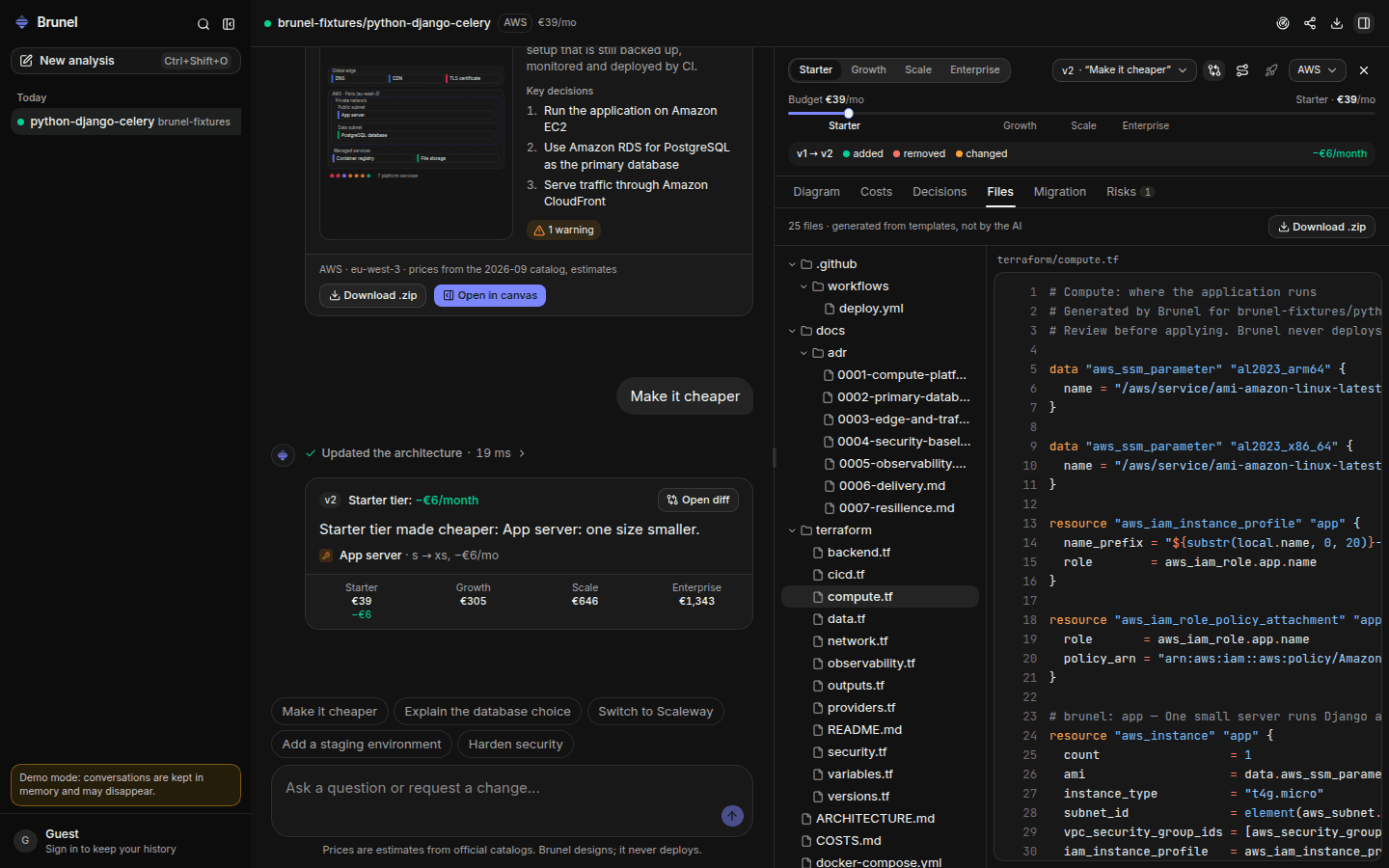
Download the files, or let Brunel open a pull request in your repository. Deployment runs in your GitHub Actions, after your review, with credentials Brunel never stores.
- Terraform per domain, Kubernetes or Compose, GitHub Actions, runbook and ADRs
- Plan on the pull request, apply after approval, OIDC to AWS
- Or one click: credentials sealed in your browser as GitHub secrets
- Every bundle passes terraform validate and actionlint in our CI
Designed to be checked
Facts with evidence, prices with sources, rules on every design, validated files. Brunel shows its work so you do not have to take it on faith.
Your infrastructure, engineered.
Paste a repository. In a minute you have four priced architectures, the reasons behind them, and the files to ship.